

Take part
You need the link and an account. Nothing to install, and it works on the phone in your pocket while you are sitting in the room.
1. Join
Opening the page is not the same as joining. Joining records that you attended, which organizers can see. Questions you ask anonymously are never linked to that record.
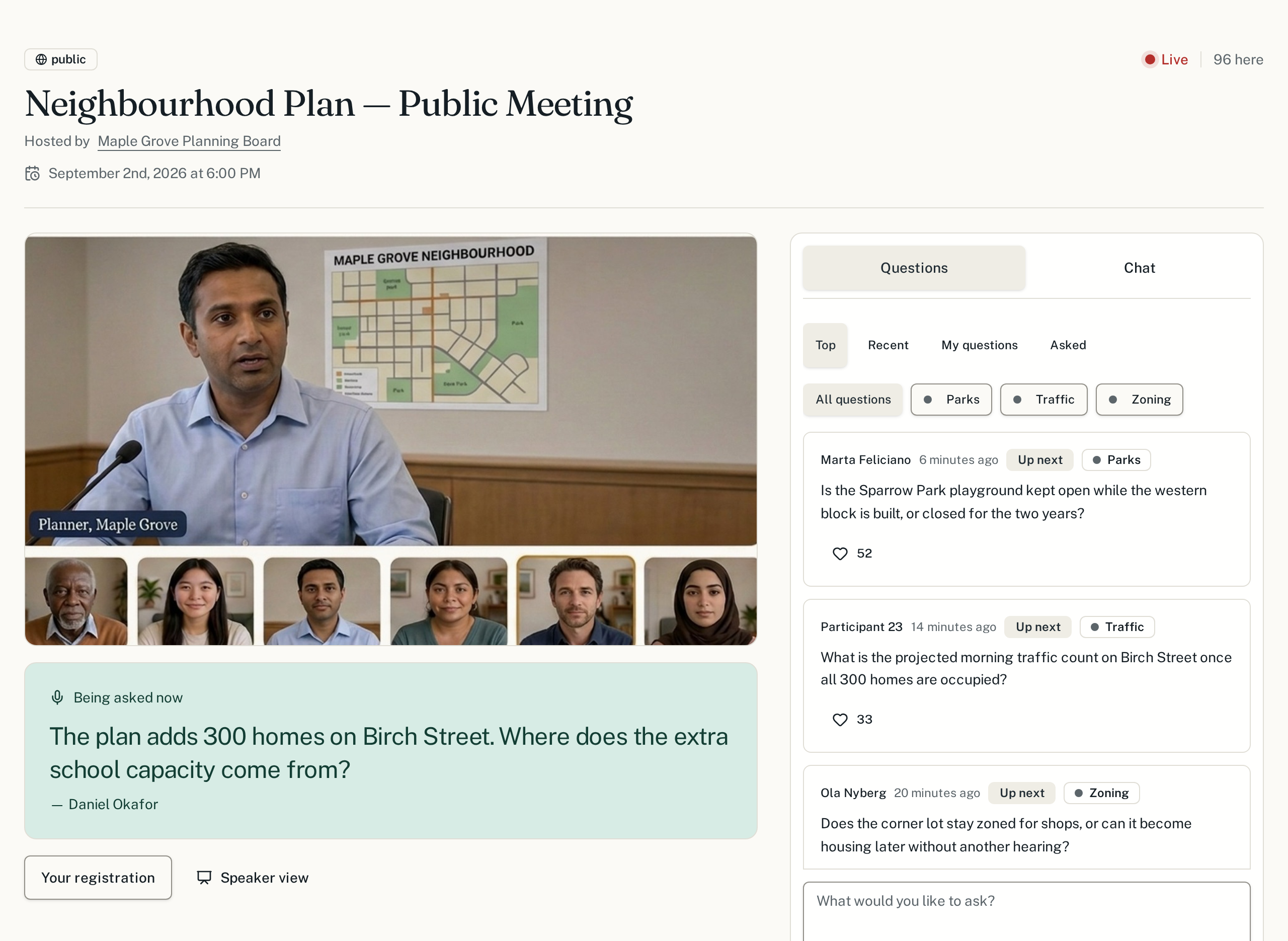
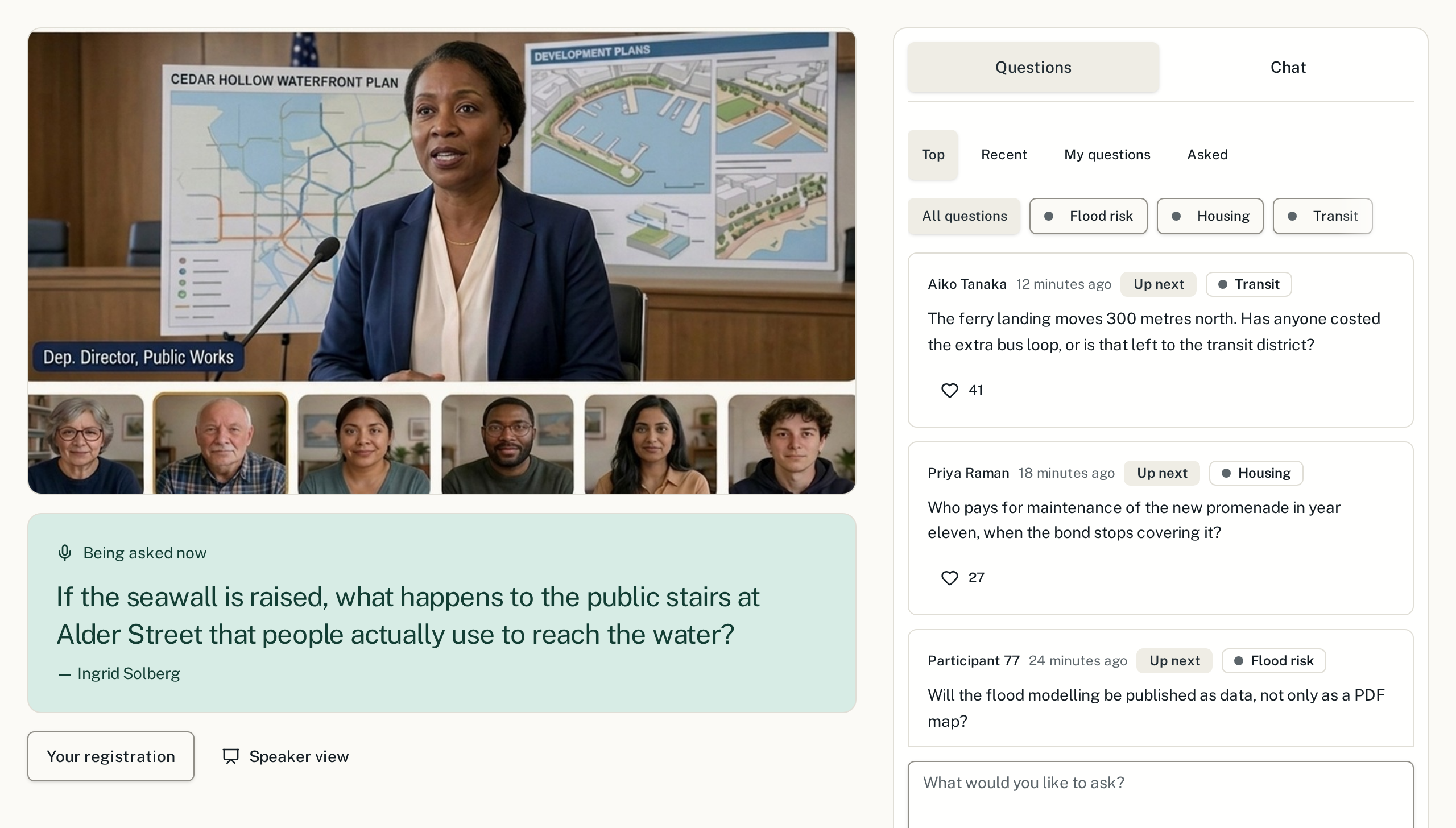
2. Ask, without leaving the call
The meeting video holds the left of the page and the discussion runs down the right. You type into the box at the bottom of it, so the call keeps running while you write. You have a small allowance of questions for the meeting — spend it on the question only you can ask, and back someone else's for everything else.
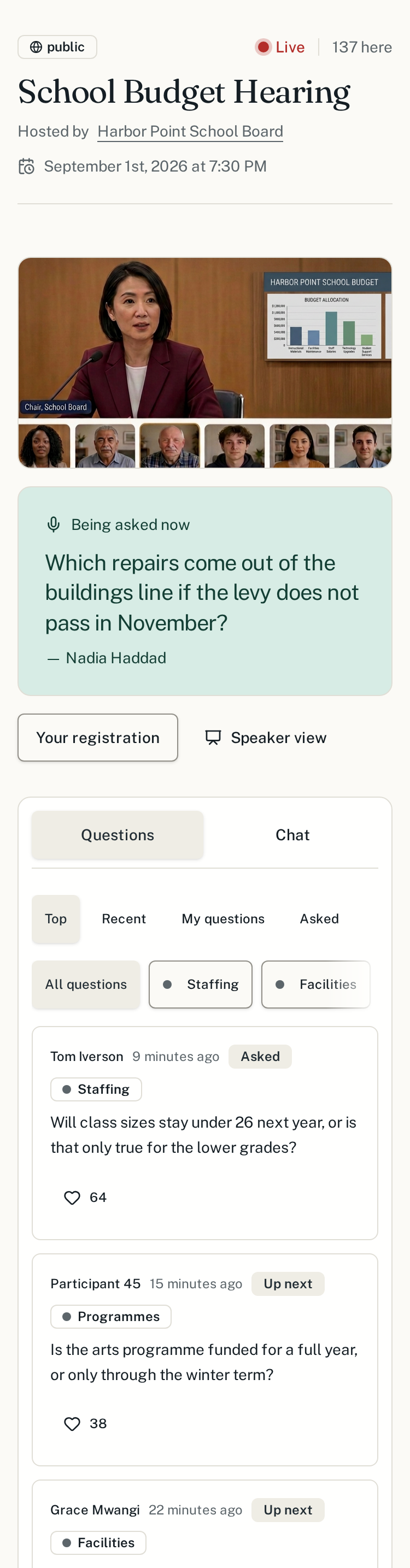
3. On a phone
The same page, stacked: the call first, then the discussion under it, with the same tabs and the same box for typing. Most people attend this way, from the back of the room.
Watching the meeting
If the organizers attached a video call or stream, it holds the main column of the town hall page and everything else opens around and over it. Some providers — YouTube Live, Jitsi and embedded pages — play right there in the page. Others, like Zoom, Meet and Teams, open in a new tab, and the button names the site it sends you to before you tap it; the questions stay on the SpeakUp tab so you can keep both open side by side. If a passcode is needed, the organizers give it to you; it is never printed on the page.
Writing a question that gets asked
- One question, not three. A moderator cannot put a paragraph on the floor.
- Ask for a number or a decision, not a reassurance.
- Check the list first — if it is already there, back it instead.
- Name the thing you are talking about: the street, the line item, the date.
Running one yourself?
The organizer guide covers setting a town hall up.