

How it works
The meeting stays on screen. The questions happen beside it.
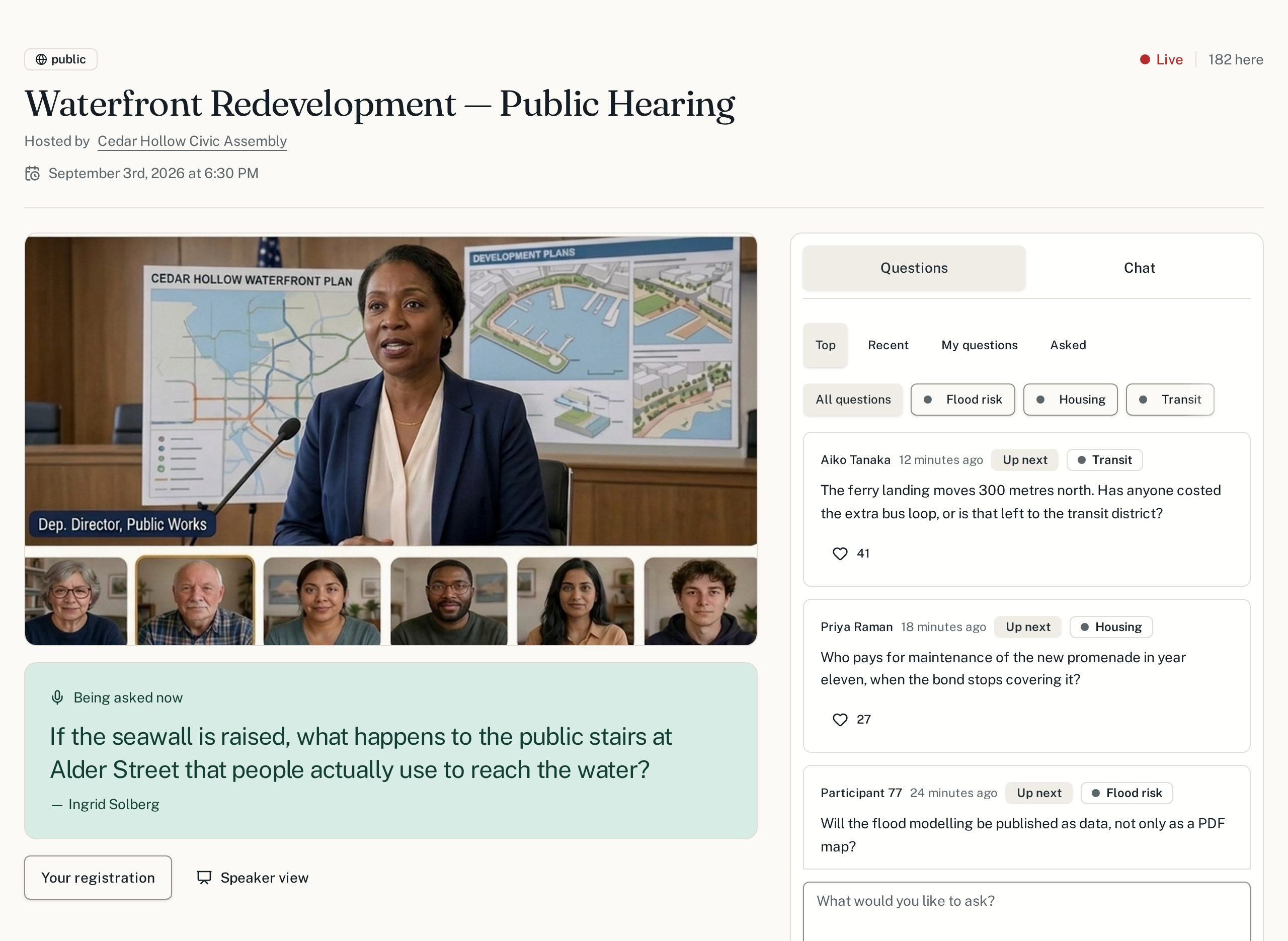
SpeakUp is deliberation infrastructure for public meetings. The video call your organization already runs sits at the centre of the page, and the questions and chat run down a column beside it, the way a live chat does. Nobody has to leave the meeting to take part in it.
1. The call is the page
Anyone with the link opens the town hall on their phone or laptop and the meeting video plays right there. Joining records attendance for the organizers and nothing more.
2. Questions come in beside the video
You type into a box at the bottom of the column beside the call — no dialog, no page change. Each person has a small allowance of questions, so the floor is not taken by whoever types fastest. Backing someone else's question is free.
3. Moderators sort without leaving
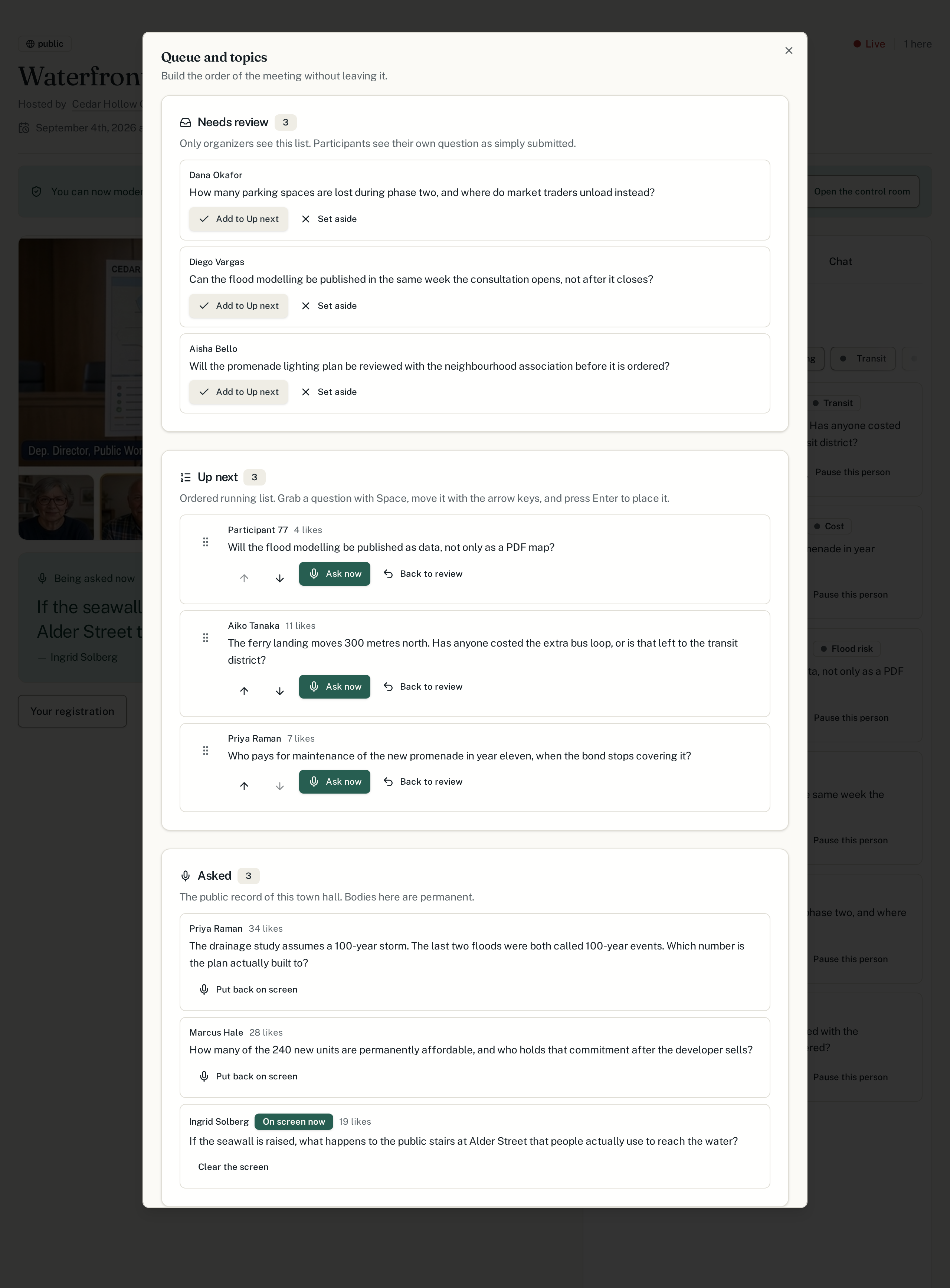
The queue, the people list and the settings are panels over the same video. Moderators group questions by topic and order the queue while still watching the meeting.
4. Answers land on the record
The question being asked is shown to the whole room, under the video, and stays in the record of the meeting afterwards.
What a participant sees
The call fills the left of the page and never stops. Asking, reading and chatting open in a column beside it, so nobody leaves the meeting to take part in it. On a phone the same column sits directly under the video.
What the organizers see
Moderators get a control room of their own: the review list, the running order and the topics, one click away from the meeting itself.
Where the hearing happens
The video is not a link on the side of the page — it is the page. Every SpeakUp town hall carries the call or stream the organizers already run, played inside the meeting page wherever the provider allows it, with the questions alongside and the panels on top.
Google Meet
Opens in a new tab, with the destination host named on the button.
Zoom
Opens in a new tab, with the destination host named on the button.
YouTube Live
Plays inside the hearing page, next to the questions.
Microsoft Teams
Opens in a new tab, with the destination host named on the button.
Jitsi
Plays inside the hearing page, next to the questions.
Embed any page
Plays inside the hearing page, next to the questions.
Link out to the stream
Opens in a new tab, with the destination host named on the button.
What this is, exactly. SpeakUp has no application registered with Zoom, Microsoft or Google. The organizer pastes the link they already have; SpeakUp checks it, strips any passcode out of what participants can see, and re-publishes it in the hearing. Nobody is signed into a meeting on your behalf, and no recording is made by SpeakUp.
Ready to try it?
Set up your first town hall in a few minutes.